
How to Use Binance: A Beginner's Guide (2026)
Learn how to use Binance step by step: create an account, verify your identity, deposit funds, make your first trade, and withdraw — safely.
 Lucas Almeida 5 min read
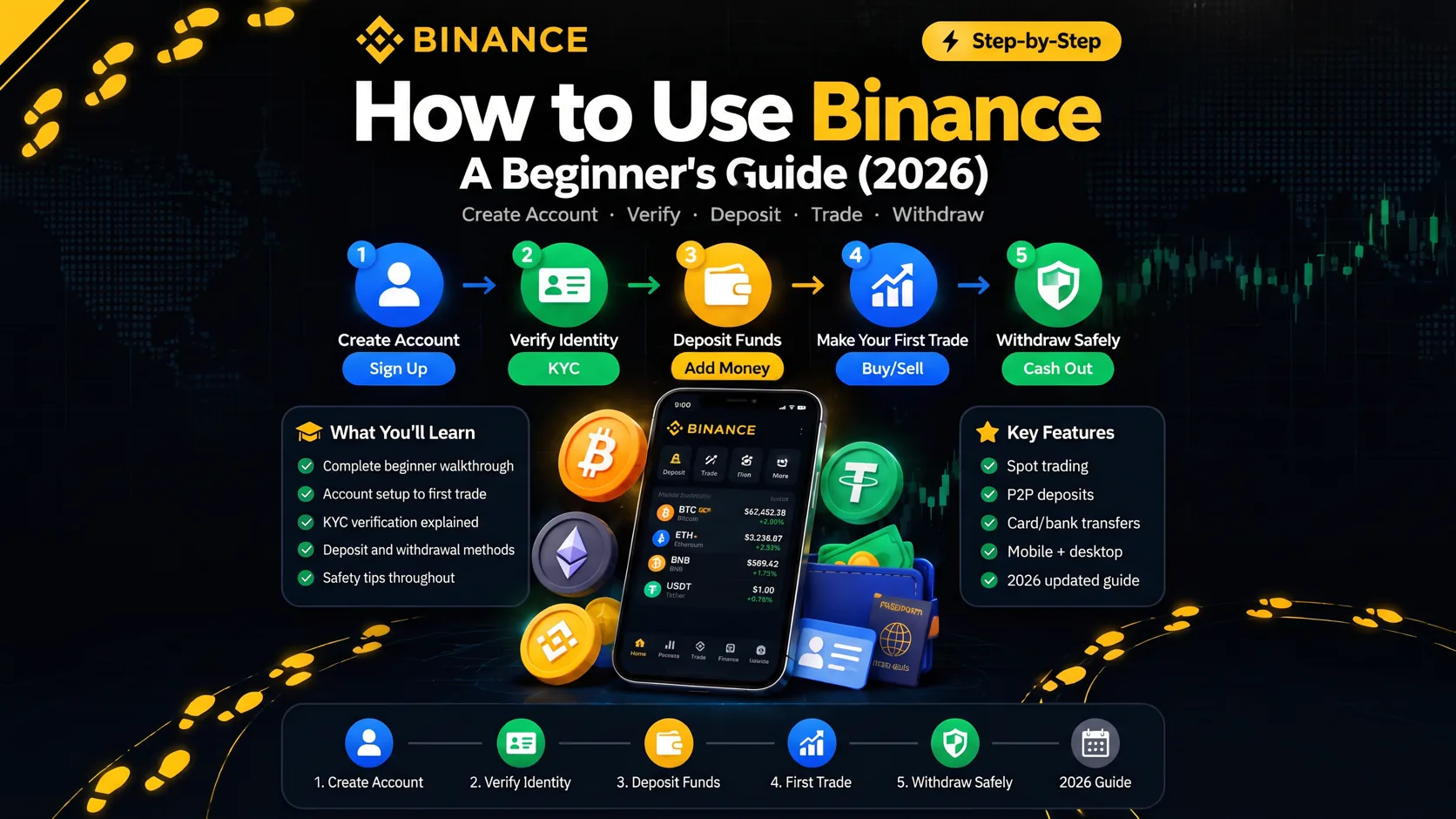
Key takeaways
- Binance is the world's largest crypto exchange. You use it to buy, sell, trade, and store crypto, and to earn interest on the coins you hold.
- Getting started takes about 15 minutes in total: download the app, create an account, verify your identity, and turn on two-factor authentication.
- Opening an account and depositing crypto are free. You only pay fees when you trade or withdraw.
- For your first trade, use the Convert tool — it is far simpler than the full spot trading screen.
- Turn on two-factor authentication (2FA) before you deposit any money. It is the single most important security step.
Binance is the world’s largest cryptocurrency exchange. You use it to buy, sell, trade, and store crypto, and to earn interest on the coins you hold. Getting started takes about 15 minutes: download the app, create an account, verify your identity, and turn on two-factor authentication. Opening an account and depositing crypto are free — you only pay when you trade or withdraw.
This guide walks through the whole journey in order, from downloading the app to making your first trade and, when you are ready, withdrawing your money. Each step links to a fuller dedicated guide if you want more detail.
⚠️ The most important thing first: don’t tap Sign Up directly in the app — you’ll miss the new-user rewards. The welcome benefits only apply when you register through an invite link or enter the referral code BN2688. Remember this.
What is Binance?
Binance is a cryptocurrency exchange — an online marketplace where you buy, sell, and trade digital currencies such as Bitcoin and Ethereum. It is the largest exchange in the world by trading volume, with hundreds of coins listed and a large share of the global crypto market.
For a beginner, it helps to see Binance as three things in one:
- A place to buy crypto with regular money — using a card, a bank transfer, or a peer-to-peer (P2P) marketplace.
- A market to trade one coin for another — swap Bitcoin for Ethereum, USDT for Solana, and so on.
- A wallet to hold your coins — you can keep them on Binance or move them to your own custody.
If you want the fuller picture — who runs Binance, how it makes money, and how it protects funds — read our explainer What is Binance?. For the question of whether it is safe to use, see Is Binance safe?.
What you need before you start
You need four things:
- An email address or phone number you control.
- A government-issued ID (passport, national ID, or driver’s license) for identity verification.
- A device with a camera, for the short face-verification step.
- A small amount of money — even $10 is enough to learn the flow.
There is no fee to open an account, and you can look around without depositing anything. Start small: treat your first deposit as a learning exercise, not an investment.
Step 1: Download the Binance app
Install the official Binance app from the Apple App Store or Google Play, or open the Binance website in your browser.
One warning that matters more than most beginners realise: there are fake Binance apps and copycat websites designed to steal your login. Install the app only from the official app-store listing, and check the domain in the address bar before you type anything. A convincing fake can look identical to the real thing.
Full installation steps for iOS and Android are in our download guide.
Step 2: Create your account
Tap Sign Up and register with an email address or a phone number. You will set a password, then confirm a six-digit verification code sent to you.
Binance requires a password of at least 8 characters with at least one uppercase letter and one number. Do not reuse a password from another site — a password manager makes a strong, unique password easy.
If you sign up through a referral link, the invite code is applied automatically and can earn you a fee rebate. There is a full explanation in our referral code guide.
💡 Don't have a Binance account yet? Sign up now — 20% fee rebate on spot and futures — enter the referral code BN2688.
The complete registration walkthrough — including the email-vs-phone choice and every screen — is in our account creation guide.
Step 3: Verify your identity (KYC)
After creating your account, Binance asks you to verify your identity. This is called KYC, for “know your customer.” You upload a government-issued ID and complete a short face-verification check.
KYC is mandatory, not optional. Until your identity is verified, your account is limited — you cannot deposit, trade, or withdraw. It is required by regulators in most countries to prevent money laundering and fraud.
Most verifications are reviewed in minutes, though some can take up to 48 hours in busy periods. The full details, including document requirements, are in our KYC guide.
Step 4: Secure your account with two-factor authentication
Before you put any money in, turn on two-factor authentication (2FA). This is the most important security step in the whole process.
Use an authenticator app such as Google Authenticator or Authy, which generates a rotating code on your phone. With 2FA on, a stolen password alone is not enough to get into your account — an attacker would also need the code from your device.
Two more settings worth doing at the same time:
- Set an anti-phishing code. Binance shows it in genuine emails, so you can spot fakes at a glance.
- Whitelist withdrawal addresses. You can restrict withdrawals to addresses you approve in advance, so a hacked account cannot drain funds to a stranger’s wallet.
All of these are covered in our account security guide.
Step 5: Add money to your account
There are two ways to get money into Binance: deposit crypto you already hold, or buy crypto with regular money.
Deposit crypto. If you already hold crypto in another wallet or exchange, you can deposit it. Depositing crypto is free on Binance — you only pay the network’s own fee when you send.
Buy crypto with regular money. You have three main options:
| Method | How it works | Cost | Best for |
|---|---|---|---|
| Card | Buy directly with a debit or credit card | A card-processing fee, usually around 2% | The fastest, simplest option |
| Bank transfer | Deposit fiat, then buy on the exchange | Lower fees than cards | Larger amounts |
| P2P | Buy directly from another user, escrow-protected | Fee varies by seller | Regions where card/bank is limited |
Buying with a card is the easiest but most expensive route, because your card issuer and Binance’s payment partner both add a fee. For most beginners, a card is still the right place to start — just be aware you are paying a little over the market price for the convenience.
Details for each method are in our deposit guide and P2P guide.
Step 6: Make your first trade
Once you have money in your account, you can trade. Binance offers two main ways, and they suit very different people.
The Convert tool (start here). This is a simple instant swap: you pick the coin you are exchanging, enter the amount, and pick the target coin. Binance shows you the exact rate and executes the swap at the current price. It is the right choice for your first trade because there is nothing to misread.
The spot trading screen (more control). This is the full interface with the order book, price chart, and order types like limit and market orders. It is powerful but overwhelming for a newcomer — wait until you understand what a limit order is before using it.
For most beginners, the advice is simple: make your first trade in the Convert tool with a small amount, then graduate to the spot screen once the interface makes sense. The step-by-step walkthrough of both is in our how to buy guide.
One thing to know before you trade: Binance charges a 0.1% spot trading fee on each trade. If you hold BNB and use it to pay fees, you get a 25% discount. The full fee structure is in our fees guide.
Step 7: Withdraw your money
When you are ready to take money out, you can withdraw crypto to your own wallet or fiat back to your bank.
Two things to check carefully before any withdrawal:
- The network must match. Crypto moves on different networks (such as ERC20, BEP20, TRC20). The address you withdraw to must be on the same network you select, or the funds can be lost. This is the most common beginner mistake with withdrawals.
- Double-check the address. Copy the full address and verify it character by character, or use a whitelist. A single wrong character sends your funds to someone else, and crypto transactions cannot be reversed.
The full process, with screenshots and the fee for each network, is in our withdrawal guide.
The whole beginner journey at a glance
| Step | What you do | Guide |
|---|---|---|
| 1 | Download the official app | Download guide |
| 2 | Create your account | Registration guide |
| 3 | Verify your identity (KYC) | KYC guide |
| 4 | Turn on 2FA | Account security |
| 5 | Add money | Deposit guide |
| 6 | Make your first trade | How to buy |
| 7 | Withdraw | Withdrawal guide |
What to do after your first trade
Your first trade is not the end — it is the point where the platform opens up. Three sensible next steps:
- Learn what the fees actually are. A few dollars in fees can quietly eat a small portfolio. Our fees guide shows exactly what you pay.
- Consider earning interest on idle coins. Binance Earn lets you earn yield on coins you plan to hold. See how Binance Earn works.
- Decide where to store your coins. Small amounts in a well-secured Binance account are reasonable. Larger, long-term holdings are safer in a wallet you control — see our wallet guides for the difference between hot and cold wallets.
Common mistakes beginners make
These are the mistakes that catch most newcomers, in the order of how often they happen:
- Withdrawing on the wrong network. Selecting the wrong network for a withdrawal is the easiest way to lose money as a beginner. Always match the network on both ends.
- Skipping 2FA. An account with a weak or reused password and no 2FA is the most common target for theft. Turn on 2FA before you deposit anything.
- Jumping straight into the spot trading screen. The order book and limit orders are confusing if you have never seen them. Use the Convert tool first.
- Ignoring fees. Buying with a card costs around 2%, and every trade has a fee. Small accounts feel these most. Know the fees before you trade, not after.
- Buying more than you can afford to lose. Crypto prices move fast in both directions. Only put in money you are genuinely prepared to lose.
None of these are hard to avoid once you know about them — which is the whole point of reading a guide like this before you start.
The bottom line
Using Binance for the first time is a short, well-defined process: download the app, create an account, verify your identity, turn on 2FA, add money, and make a small first trade. Start small, use the Convert tool, and check the network on every withdrawal.
When you are ready to begin, open the official app and create your account — the referral code is applied automatically when you sign up through our link, at no extra cost to you.
💡 Don't have a Binance account yet? Sign up now — 20% fee rebate on spot and futures — enter the referral code BN2688.
Don't have a Binance account yet?Sign up nowenter the referral codeBN2688
Frequently asked questions
Is Binance free to use?
How long does it take to start using Binance?
Do I need to verify my identity to use Binance?
What is the safest way to make a first trade?
Can I withdraw my money at any time?
Is Binance available in my country?
Editor-in-Chief & Lead Researcher
Editor of MyCryptoStart. Independent researcher of cryptocurrency exchanges, focused on fees, security, KYC, and onboarding — publishes step-by-step guides in plain English for beginners.
View author page →Some links on this page are affiliate links: we may earn a commission at no extra cost to you. This content is educational and is not financial, investment, or legal advice. Affiliate disclosure · Disclaimer.
Continue reading
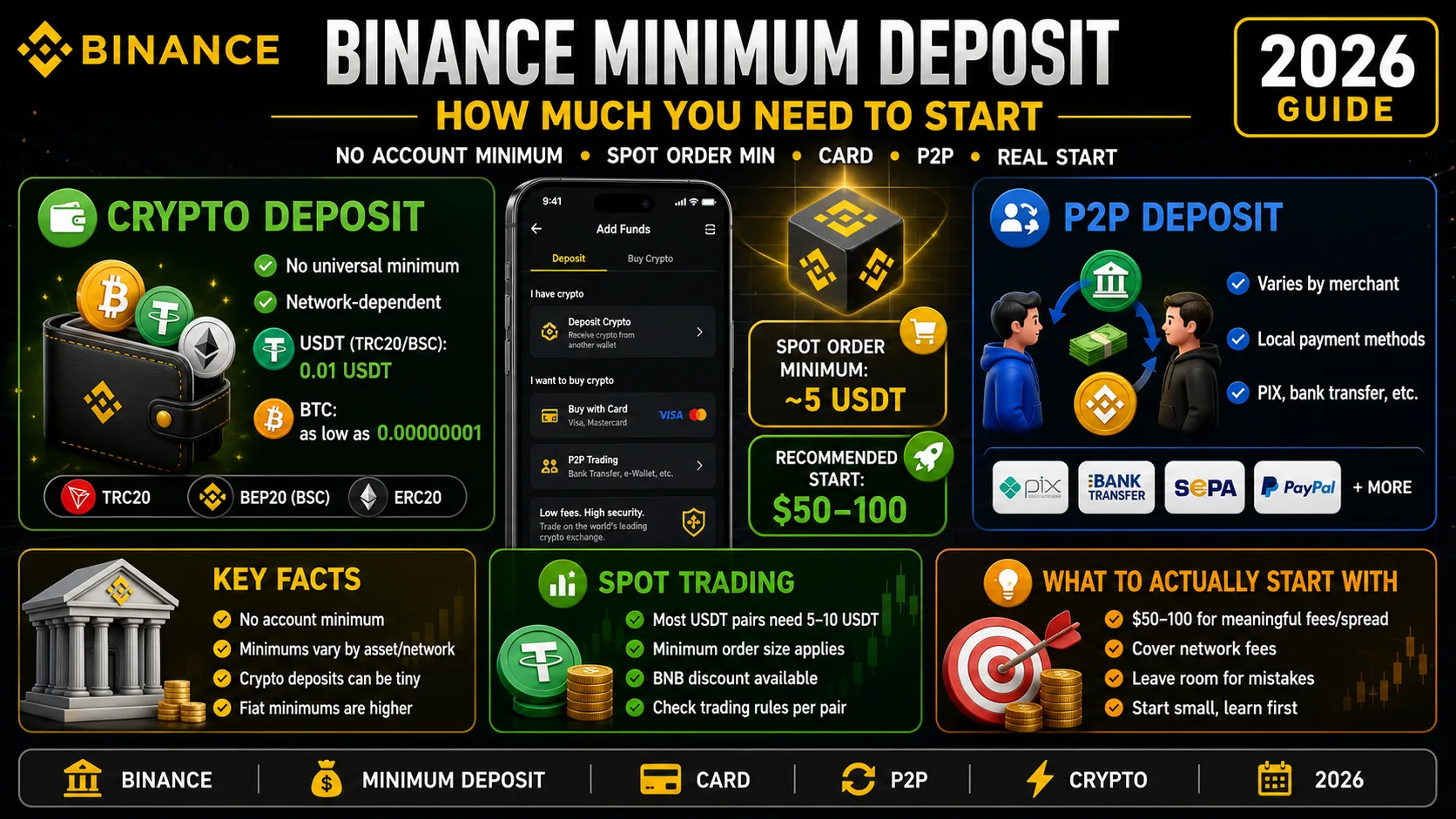
Binance Minimum Deposit: How Much You Need in 2026
Binance has no account minimum, but most spot orders need 5 USDT. The real deposit, card and P2P minimums — and how much to actually start with.
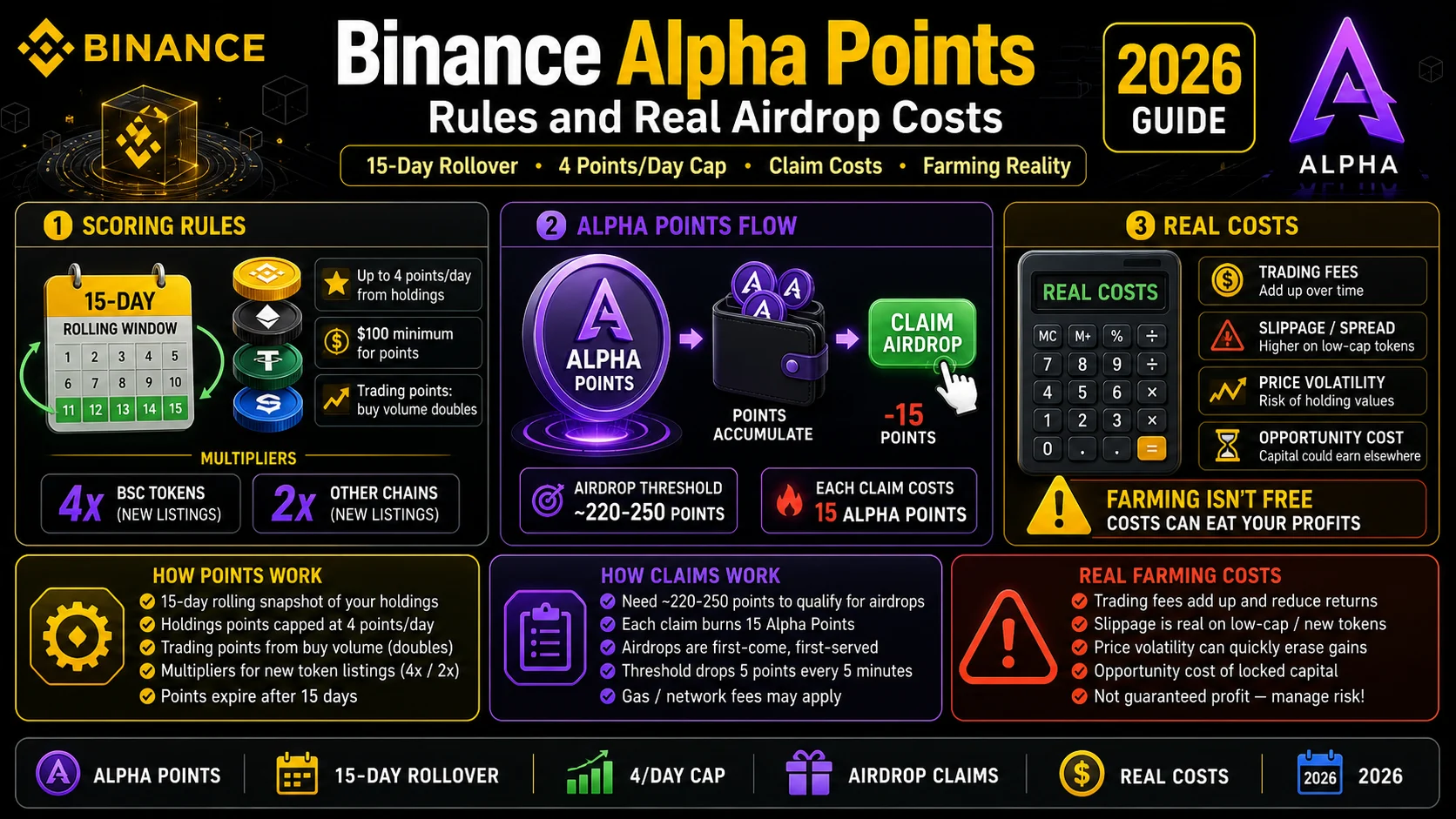
Binance Alpha Points (2026): Rules and Real Airdrop Costs
Alpha Points roll over 15 days and cap at 4 points a day from holdings. Here is how the scoring works, how claims work, and what farming really costs.
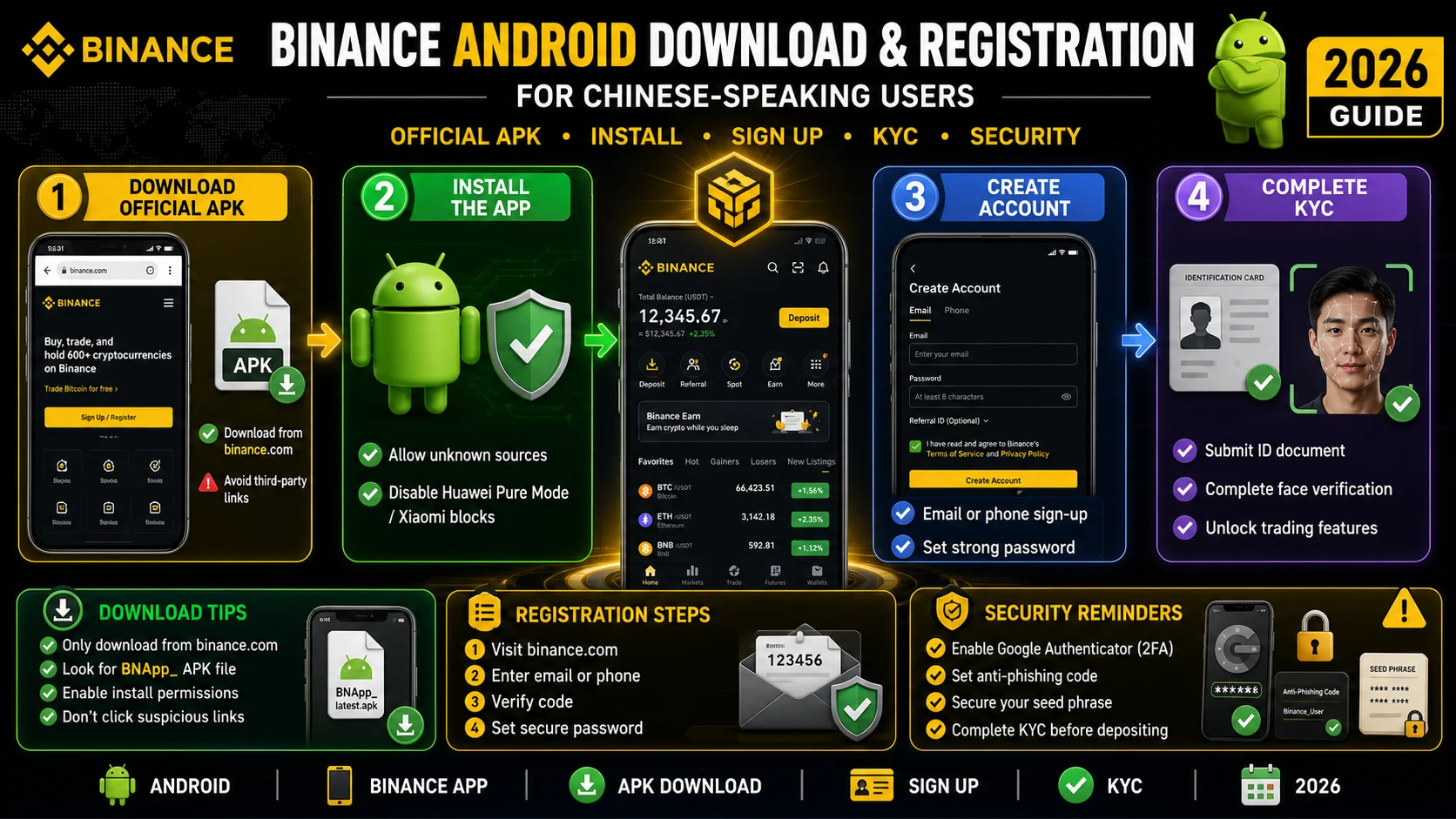
Binance in Chinese: Android Download and Registration (2026)
An Android walkthrough for Chinese speakers: official download sources, OEM install blocks, language settings, registration, KYC, and a first deposit.