
Binance P2P: Buy and Sell Crypto Peer-to-Peer
How Binance P2P works — buy and sell crypto directly with other users, with zero fees and an escrow system that holds funds until payment is confirmed.
 Lucas Almeida 5 min read
 Key takeaways
- Binance P2P lets you buy and sell crypto directly with other users, and Binance charges zero fees on the trade itself.
- Every P2P trade uses escrow: Binance holds the seller's crypto until the buyer's payment is confirmed, then releases it.
- You pay using local methods — bank transfer, e-wallets, and more — that vary by region and by the individual seller's ad.
- Choose sellers with high completion rates and many trades, and never confirm payment until the money has actually arrived.
- If anything goes wrong, an appeal freezes the escrow until Binance support reviews the evidence.
Binance P2P lets you buy and sell cryptocurrency directly with other people, with zero Binance fees and an escrow system that holds the crypto until payment is confirmed. You pay using local methods such as bank transfer or e-wallets, and the price is whatever the buyer and seller agree on.
The escrow is the important part: you are not sending money into the void. Binance holds the seller’s crypto in a locked escrow and only releases it once the seller confirms your payment arrived.
What Binance P2P is (and how it differs from normal trading)
On the normal spot market, you trade against an order book and Binance matches orders automatically. On P2P, you trade directly with another user — you agree on a price and payment method, and Binance acts as a neutral middleman.
Three differences matter in practice:
- No trading fee. Binance charges zero fees on P2P. The “price” is the rate the seller sets, which includes a small margin over the market price.
- Local payment methods. You pay by bank transfer, e-wallet, or whatever the seller accepts — useful in regions where card or bank deposits into Binance are limited.
- Escrow, not instant. The crypto is locked in escrow until both sides confirm, so a trade takes a few manual steps rather than being instant.
Here is how P2P stacks up against the other ways to buy crypto on Binance:
| P2P | Spot (card/convert) | Spot (bank deposit) | |
|---|---|---|---|
| Counterparty | An individual seller | Binance / a partner | Binance |
| Fees | Zero on Binance’s side | Card fee, usually higher | Low, varies by region |
| Payment | Bank transfer, e-wallet, local apps | Card | Bank transfer |
| Speed | Minutes, but manual steps | Instant | Hours to days |
| Best for | Regions with limited card/bank support, or lowest cost | First-time buyers wanting speed | Moving larger fiat amounts |
The theme: P2P trades cost the least on fees but require the most manual care, because you are dealing with an individual rather than Binance itself.
How the escrow system protects both sides
Escrow is what makes P2P safe enough to use — Binance explains the mechanism in its escrow service guide. Here is the sequence for a buy order.
- You place an order to buy from a seller.
- Binance locks the seller’s crypto in escrow — the seller cannot touch it.
- You send payment to the seller using the agreed method.
- The seller confirms the payment and releases the crypto from escrow to you.
If the seller never releases, you raise an appeal, and Binance support reviews the evidence (your payment proof) and releases the crypto if you paid. The crypto never sits with either party unprotected during the trade.
How to buy crypto on Binance P2P step by step
Buying is a six-step flow. Take your time on the offer selection — it is where the real decisions happen.
Step 1: Open P2P and choose Buy
In the app or site, open P2P, choose the coin you want (for example USDT or BTC), and select Buy.
Step 2: Pick an offer
Offers list a price, a payment method, and the counterparty’s stats. The two stats to check are:
- Completion rate — the percentage of trades the user finished successfully. Look for 95% and above.
- Trade count — how many trades they have completed. More is better.
A seller offering a slightly worse rate but with a 99% completion rate and thousands of trades is usually a better deal than the cheapest offer from a brand-new account.
Step 3: Enter the amount and place the order
Enter how much you want to buy, review the total and the seller’s stated terms, and place the order. Binance moves the seller’s crypto into escrow.
Step 4: Make the payment within the time limit
Send payment using the agreed method within the time window shown on the order (often 15 minutes). The seller’s payment details appear in the order chat. Keep proof of payment — a screenshot of the transfer — in case of a dispute.
Step 5: Mark payment complete
After the money is actually sent, tap “I have paid” (or the equivalent button). Do not tap it early — this button tells the seller to release the crypto, and an honest mistake here is hard to unwind.
Step 6: Confirm receipt and complete
The seller releases the crypto, and it lands in your Funding wallet. Confirm the order is complete. If the crypto is missing or wrong, raise an appeal before the order auto-completes.
How to sell crypto on Binance P2P
Selling is the mirror image, with one extra caution.
- Open P2P and choose Sell, then set your price or pick a buyer’s ad.
- Confirm the order — Binance locks your crypto in escrow.
- Wait for the buyer to pay. Do not release the crypto until the money is in your account — check your bank or wallet, not just the buyer’s screenshot.
- Confirm receipt of the payment and release the crypto.
The classic scam targets sellers: a buyer sends a fake payment screenshot and asks you to release early. Never release until the funds have actually landed in your own account.
Payment methods on Binance P2P
The payment methods available depend on your region and on each individual seller, but the common families are:
| Method | Notes |
|---|---|
| Bank transfer | The most common; can be instant or take minutes depending on the rails |
| E-wallets and payment apps | Local apps vary by country — check you have the one the seller lists |
| Cash (in-person, where offered) | Rare and region-specific; exercise extra caution if used |
| Other methods | Occasionally offered, but less common on P2P |
Two rules when choosing a method:
- Pick a method you actually have access to. If the seller only accepts a local e-wallet you do not use, that trade is not for you.
- Pay from an account in your own name. Paying from a third party’s account is a common trigger for disputes, because the seller cannot verify the payment came from you.
The seller’s ad lists exactly which methods they accept and their terms. Read them before you place the order — the terms are part of the deal.
What happens when a P2P trade is disputed
If a trade goes wrong — the seller will not release, or the buyer claims they paid when they did not — the answer is an appeal, which freezes the escrow until Binance support reviews it (per Binance’s P2P appeal guide).
Here is how a dispute plays out:
- One side raises an appeal from the order screen. The crypto stays locked in escrow.
- Both sides submit evidence — the buyer uploads payment proof, and the seller explains their side.
- Support reviews the evidence and decides who is right. This can take anywhere from minutes to a few days, depending on the case.
- The escrow is released to the correct side. If the buyer paid, the crypto goes to the buyer; if not, it returns to the seller.
The key discipline: raise the appeal before the order auto-completes. Once an order completes, the escrow releases automatically and the window to dispute closes. If something is wrong, do not wait — appeal first, sort out the details after.
This is the safety net that makes P2P work. It is not instant, but it means neither side has to simply trust the other.
Staying safe on P2P
P2P is safe in structure, but you are still dealing with individuals. These habits keep it that way.
- Trade with high-reputation counterparties. Check completion rate and trade count before every trade.
- Keep everything in-platform. Use the in-app chat and payment methods the order specifies. Anyone trying to move you to WhatsApp or Telegram is a red flag.
- Never release early as a seller. Wait for the money to actually arrive in your account.
- Never confirm early as a buyer. Only tap “I have paid” after the transfer is really sent.
- Appeal, don’t argue. If anything is off, raise an appeal and let support review the evidence.
Here are the scam patterns to recognise, and how to avoid them:
| Scam | How it works | How to avoid it |
|---|---|---|
| Fake payment screenshot (seller side) | The buyer sends an edited screenshot and asks you to release before the money lands | Never release until the funds are actually in your own bank account |
| “Support” impersonation | Someone messages you claiming to be Binance support and asks for codes or off-platform payment | Binance never asks for your login, codes, or off-platform payment — report and block |
| Off-platform chat | The counterparty pushes the trade to WhatsApp or Telegram | Refuse; keep every message inside Binance so there is a record |
| Overpayment trick | The buyer “accidentally” overpays and asks you to send the difference back | Do not refund anything; raise an appeal instead |
The single rule that defeats most of them: the funds must be in your own account before you act, and every message stays inside Binance.
The bottom line
Binance P2P is a zero-fee way to buy and sell crypto directly with other users, protected by an escrow system that holds the crypto until payment is confirmed. The trade-offs are a manual flow and the need to check who you are trading with. Choose reputable counterparties, keep everything inside the platform, and never confirm or release before the money has actually moved.
💡 Don't have a Binance account yet? Sign up now — enter the referral code BN2688.
New to Binance? Start with creating your account and completing KYC, then come back here when you are ready to trade.
Don't have a Binance account yet?Sign up nowenter the referral codeBN2688
Frequently asked questions
Is Binance P2P free?
How does Binance P2P escrow protect me?
What payment methods can I use on Binance P2P?
Is Binance P2P safe?
What happens if the seller does not release the crypto after I pay?
What is the difference between P2P and buying with a card?
Editor-in-Chief & Lead Researcher
Editor of MyCryptoStart. Independent researcher of cryptocurrency exchanges, focused on fees, security, KYC, and onboarding — publishes step-by-step guides in plain English for beginners.
View author page →Some links on this page are affiliate links: we may earn a commission at no extra cost to you. This content is educational and is not financial, investment, or legal advice. Affiliate disclosure · Disclaimer.
Continue reading
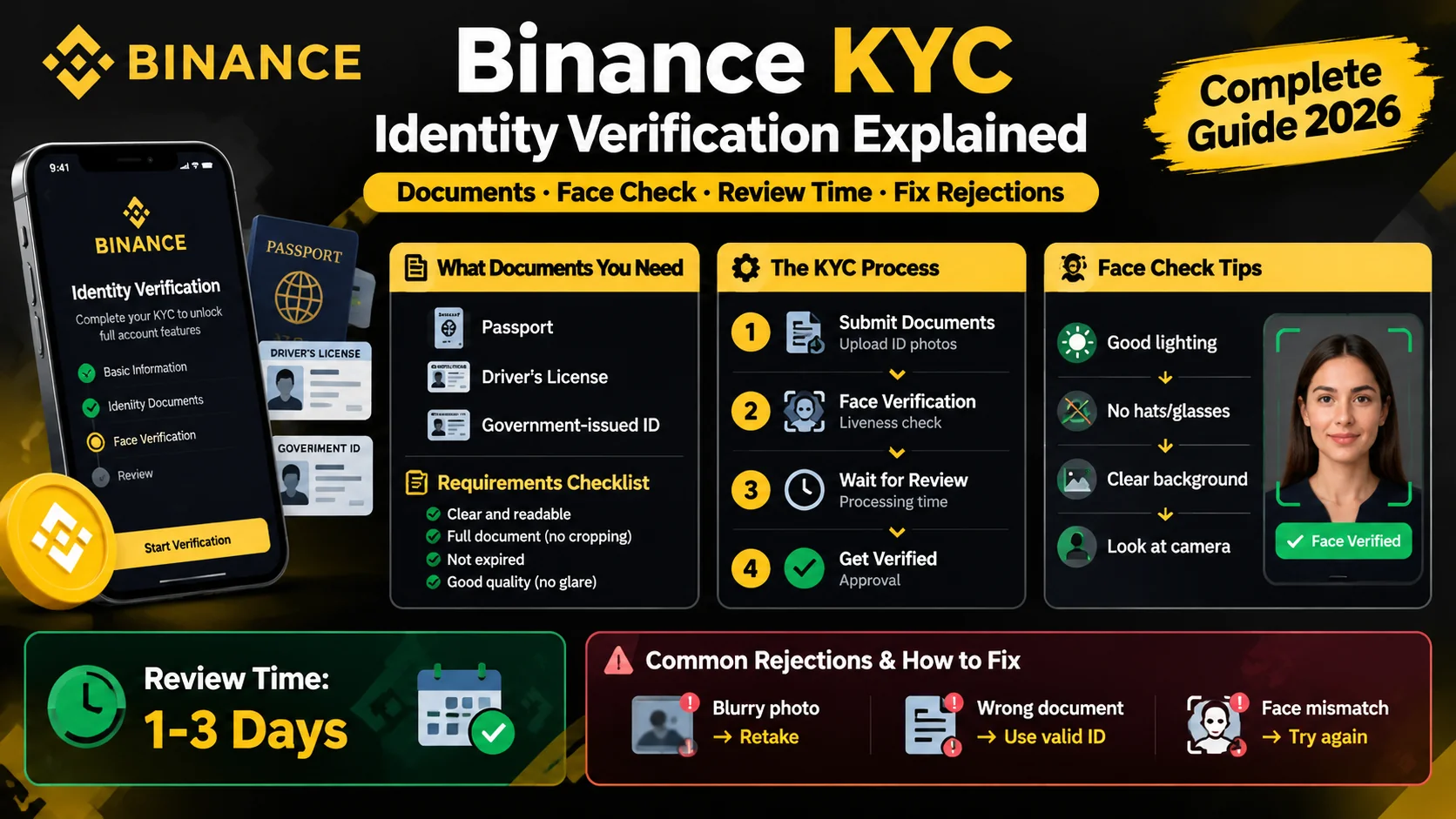
Binance KYC: How Identity Verification Works
Binance requires KYC before you trade. Learn the documents you need, how the face check works, how long review takes, and how to fix rejections.
How to Create a Binance Account (2026 Guide)
Create a Binance account in about five minutes: sign up with email or phone, verify KYC, and turn on 2FA. Step-by-step guide for beginners.
Binance Fees Explained: What You'll Pay
A plain-English breakdown of Binance fees — the 0.1% spot fee, 25% BNB discount, free crypto deposits, and withdrawal costs.