
Market, Limit, and Stop Orders Explained: How to Choose the Right One (2026)
Market, limit, stop-limit, stop-market, OCO and post-only orders: what each one actually does, when it fails to fill, and which to use on Binance. Fees and minimums checked November 2026.
 Lucas Almeida 5 min read
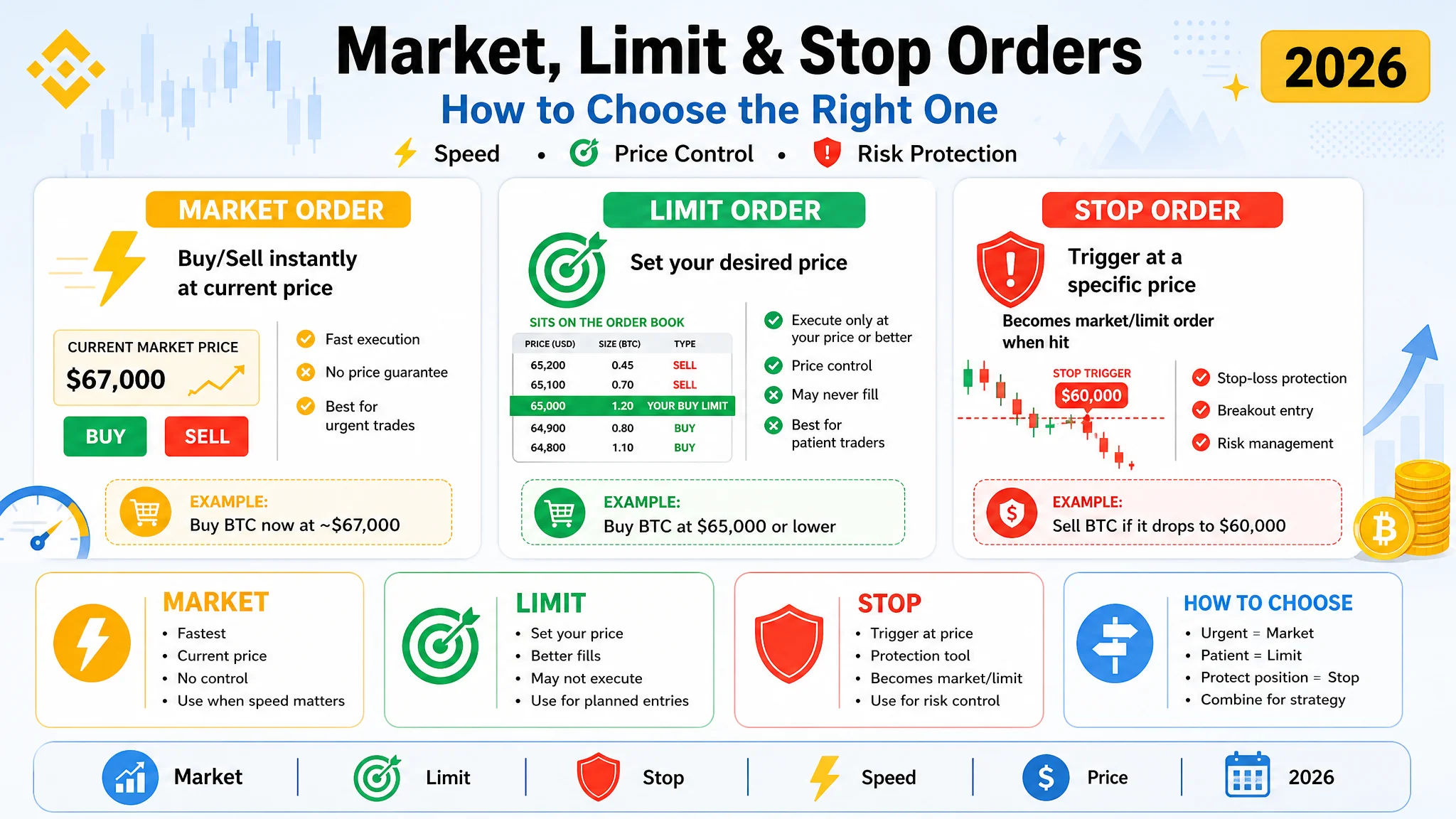
Key takeaways
- A market order buys certainty of execution, not price. A limit order buys price control, not certainty. A stop order buys automation, not either — the trigger is not the fill.
- Stop-limit orders can miss entirely in a fast market. Binance's own example: a stop at $1,800 with a $1,790 limit did not fill when price fell straight to $1,770.
- Post Only guarantees the maker fee by cancelling the order if it would execute immediately. At Binance's base level maker and taker are both 0.10%, so the difference only matters once you reach higher VIP tiers.
- OCO places a take-profit and a stop-loss together; when one triggers, the other is cancelled. It is the simplest way to define both exits before you enter a trade.
- Binance charges 0.10% per spot trade at VIP 0, or 0.075% with the 25% BNB discount. Most USDT pairs require at least 5 USDT of order value, based on our 26 November 2026 check of 531 pairs.
An order type is an instruction about how to buy or sell, and the three core choices answer three different questions. A market order says “fill me now, at whatever price.” A limit order says “fill me only at this price or better, even if that never happens.” A stop order says “wait for a trigger, then act.” Choosing the wrong one is how beginners pay unnecessary slippage — or fail to exit a losing position because the stop triggered but the limit never filled.
This guide covers every order type on Binance Spot, the exact cases where each one fails, and the fees and minimums that decide whether a small order is even possible. Order mechanics were checked against Binance’s official order-type, stop-limit, post-only and fee documentation on 26 November 2026.
⚠️ An order type is not a risk strategy. A stop-loss that triggers is not a stop-loss that fills. Never assume a conditional order guarantees an exit, and never trade with money you cannot afford to lose.
The one-minute decision table
Start with what you need most: speed, price control, or automation.
| You want to… | Use | Fill certainty | Price certainty |
|---|---|---|---|
| Buy or sell right now | Market | High | Low — slippage possible |
| Buy below the market or sell above it | Limit | Low — may never fill | High |
| Exit if price falls to a level | Stop-market | Higher in volatility | Low — slippage allowed |
| Exit at a level, but not below a floor | Stop-limit | Lower in a gap | Capped, but may not fill |
| Set a profit target and a stop together | OCO | Depends on each leg | Depends on each leg |
| Guarantee the maker fee | Post Only limit | Low | High |
| Buy or sell a large amount slowly | TWAP | Spread over time | Average price |
The rest of this guide explains each row, including the failure modes that the table cannot show.
Market orders: certainty of execution, not of price
A market order fills immediately at the best price available on the order book. Binance describes it exactly that way: fast execution, with the final price uncertain because of slippage and volatility.
That trade-off is fine for small orders in liquid pairs. It becomes expensive when the book is thin or the market is moving:
- You see BTC at $90,000, but the asks above it are thin. A $10,000 market buy can fill across several levels and average $90,150.
- During a news candle, the best ask can move before your order reaches the matching engine.
- A market sell into a thin book can clear several bid levels, giving you less than the price on screen.
Binance’s order ticket shows an estimated fee, but the final amount depends on what you actually receive. On a buy, the fee is taken in the base asset; on a sell, in the quote asset. That means a market buy of 1 BTC does not leave exactly 1 BTC in your wallet after fees.
Use a market order when you have already decided to trade and the difference of a few basis points is less important than being filled. Do not use one to enter or exit a large position in a low-liquidity pair, or to “catch” a falling price — that is how slippage turns a planned entry into a worse one.
Limit orders: price control, with a real chance of no fill
A limit order rests on the book at your chosen price and fills only at that price or better. A buy limit at $60,000 fills at $60,000 or lower; a sell limit at $60,000 fills at $60,000 or higher. If the market never reaches your price, nothing happens.
This is the default order for anyone who cares about the price. It is also the order beginners misread most often, for three reasons:
- A limit order can fill partially. If you order 1 BTC at $60,000 and only 0.3 BTC is available at that level, you may get 0.3 BTC and wait for the rest.
- A limit order can cross the spread and behave like a taker. If you place a buy limit above the best ask, it executes immediately at the ask. You get a fill, but you pay the taker fee and lose the price improvement you thought you were getting.
- A limit order can sit for days. That is not a malfunction. It is the trade you asked for.
Binance’s base spot fee is the same 0.10% for maker and taker, so a limit order does not save money at VIP 0 simply by being a limit order. The difference appears at higher VIP tiers, where maker fees fall faster than taker fees. If you want to guarantee the maker side, use Post Only.
Post Only and time-in-force: controlling how the order rests
Post Only is a limit order that is not allowed to take liquidity. If it would execute immediately against an existing order, Binance cancels it at placement rather than letting it fill as a taker. When it does fill, you pay the maker fee — Binance’s wording is that you are charged a maker fee, not a taker fee.
On the Binance website, Post Only becomes available after switching the trading layout to Advanced order mode. It is useful when you are deliberately providing liquidity and want to avoid an accidental taker fill.
Time-in-force (TIF) controls how long an order stays alive:
| TIF | Rule | Practical effect |
|---|---|---|
| GTC | Good until cancelled | Stays on the book until filled or cancelled |
| IOC | Immediate or cancel | Fills what it can now; cancels the rest |
| FOK | Fill or kill | Must fill completely now, or cancels entirely |
IOC and FOK are always taker orders. Binance also notes that iceberg orders are not supported with IOC or FOK.
Stop-limit vs stop-market: the trigger is not the fill
This is the most important distinction in the article. A stop order waits for a trigger price, then submits an order. What happens next depends on the type:
- Stop-limit: once the stop price is reached, Binance places a limit order at your limit price. It fills only if the market reaches that limit. Partial fills are possible, and any unfilled remainder stays as a limit maker order.
- Stop-market: Binance describes this as a stop-limit order with a slippage tolerance of 0.1% to 5%. Once triggered, it can fill within that tolerance, which makes execution more likely but the price less predictable.
Binance’s own example shows why the difference matters. You place a stop-limit sell with a stop at $1,800 and a limit at $1,790. Price falls through $1,800, the stop triggers, but the market drops straight to $1,770 before your limit order fills. The order stays unfilled, and your position remains open.
That is not a bug. It is the definition of a limit order meeting a gap. Binance’s own guidance for volatile conditions is to use stop-market orders for more reliable execution, while accepting that the price may vary.
A practical rule:
- Stop-market when the exit matters more than the exact price — protecting against a sharp drop, or exiting a position you no longer want.
- Stop-limit when you would rather keep the position than sell below a floor — but size the position so a missed exit will not ruin you.
- Leave a gap between the stop and the limit. For a sell, set the limit slightly below the stop; for a buy, slightly above. Binance’s stop-limit guidance recommends a safety gap for exactly this reason.
OCO: take-profit and stop-loss in one ticket
OCO means One Cancels the Other. It places a limit order and a stop-limit order together, and when one triggers, the other is cancelled automatically.
The classic use is a position with two exits:
- You hold 1 ETH at $3,000.
- You want to take profit at $3,300: a limit sell at $3,300.
- You want to cut the loss at $2,800: a stop-limit sell with the stop at $2,800 and a limit slightly below it.
- You submit both as an OCO. If ETH reaches $3,300 first, the profit order fills and the stop leg is cancelled. If ETH falls to $2,800 first, the stop leg triggers and the profit leg is cancelled.
The benefit is operational: you define both exits before emotion enters, and you do not leave a forgotten second order on the book. The limitation is the same as any stop-limit — the stop leg can trigger without filling in a fast market.
Binance’s OCO description uses a simpler spot example: with BTC at $40,000, place a buy at $39,000 and a sell at $41,000, and whichever triggers first cancels the other. The structure is the same; the use case differs.
The advanced order types, briefly
Binance’s spot menu includes several order types most beginners never need. They are worth knowing so you recognize them, not because you should start with them.
| Order type | What it does | Who it is for |
|---|---|---|
| Trailing stop | Sets an order a chosen percentage away from the market and follows favorable price movement; it does not move back when price reverses, and exits at market once the reversal hits the percentage | Traders protecting a profit in a trending market |
| OTO / OTOCO | One order triggers another; OTOCO adds one-cancels-the-other behavior to the secondary orders | Setting an entry and an exit plan in one flow |
| BBO | A limit order priced at the 1st to 5th position on the chosen side of the book, adjusting automatically | Traders who want to sit near the top of the book |
| TWAP | Splits a large order into smaller trades at regular intervals to approximate the average price | Large orders that would otherwise move the market |
| Iceberg | Shows only a small part of a large limit order on the book and releases the rest as the visible part fills | Large orders that want to hide their size |
If you are placing your first orders, ignore this table. Market, limit, stop-market and OCO cover almost everything a spot trader needs.
What the order costs: fees and minimum size
Binance charges 0.10% per spot trade for both makers and takers at VIP 0. Paying the fee with BNB reduces it by 25%, to 0.075%. The fee is charged in the asset you receive, not in a separate balance.
A $1,000 spot buy therefore costs about $1.00 at the base rate, or $0.75 with the BNB discount. The same math applies on the sell side, charged in the quote asset.
There is also a size floor that catches small accounts. In our 26 November 2026 check of Binance’s public exchange rules, 501 of 531 USDT spot pairs had a 5 USDT minimum notional, and the other 30 had a 1 USDT minimum, mostly meme coins. Each pair also has a minimum quantity, and the order ticket enforces whichever floor is higher. A balance below 5 USDT can leave you unable to place a normal order in most pairs — the detail that makes a $10 deposit less useful than it looks.
A referral rebate sits on top of the trading fee rather than replacing it. With the 20% rebate code applied at registration, the effective base cost falls to about 0.08%, and with both the rebate and the BNB discount to about 0.06%. The rebate is typically paid back in USDC after the trade, so the order ticket still shows the full fee. For the full stacking math, read how Binance fees work.
How to place an order on Binance
The order ticket is the same on web and mobile, with a few layout differences.
- Open the spot market for the pair you want, for example BTC/USDT.
- Choose the order type from the selector: Limit, Market, Stop-Limit, OCO, or the advanced list.
- Enter the amount in the base coin or the quote coin. The ticket shows the estimated value and the minimum allowed.
- For a limit or stop order, set the price and, for a stop order, the trigger price. Check the difference between them.
- Review the estimated fee and the total. Remember that the final fee depends on the asset you receive.
- Submit. A limit order appears under Open Orders; a market order fills immediately.
If you have not registered yet, the Binance registration guide walks through the account and KYC steps, and the first-buy tutorial shows the deposit-to-order path. Registration through our link applies BN2688 automatically, which sets the 20% rebate before your first trade — a code cannot normally be added afterward.
Five mistakes that cost beginners money
Most order-type losses are not caused by picking an exotic order. They come from misreading the basics.
- Using a market order on a thin pair. The spread and slippage can exceed the fee by a wide margin. Check the order book depth before sizing up.
- Setting a stop-limit too tight. A stop at $1,800 and a limit at $1,799 looks careful until price gaps to $1,770. Leave a gap, or use stop-market.
- Assuming a triggered stop means an exit. A trigger only submits an order. If you need certainty, use the type that prioritizes execution.
- Forgetting partial fills. A limit order can fill in pieces. Plan the position size around the possibility that only part of it executes.
- Ignoring the minimum notional. A 3 USDT order in a 5 USDT-minimum pair will be rejected. Check the ticket before you deposit a small amount.
One more, less obvious: a limit order that crosses the spread is a taker order. If you place a buy limit above the best ask, you get an immediate fill at the ask and pay the taker fee. If you wanted the maker fee, use Post Only and accept that the order may not fill.
The bottom line
Market for speed, limit for price, stop-market for a reliable exit, stop-limit for a price floor, OCO for a two-sided exit plan, Post Only for the maker fee. That is the whole decision tree for spot trading.
The part most guides skip is failure: a stop order triggers an order, it does not guarantee a fill, and a gap can leave you in a position you thought you had closed. Binance’s own documentation recommends stop-market orders when execution reliability matters more than price. Size positions so that a missed exit is survivable, and practice with small orders before you rely on any conditional order.
If you are still learning the platform, start with a limit order on a liquid pair, watch how it behaves in Open Orders, and only then add stop and OCO orders. The beginner trading guide covers the surrounding workflow, and the dollar-cost-averaging guide explains why a simple recurring buy often beats active order management for new investors.
Don't have a Binance account yet?Sign up nowenter the referral codeBN2688
Frequently asked questions
What is the difference between a market order and a limit order?
What happens if a stop-limit order is triggered but not filled?
Should I use a stop-limit or a stop-market order?
What is a Post Only order on Binance?
What is an OCO order?
What are GTC, IOC, and FOK?
How much does a Binance spot order cost?
What is the minimum order size on Binance?
Can I lose more than I deposit with a spot limit order?
Do order types work the same in the US?
Editor-in-Chief & Lead Researcher
Editor of MyCryptoStart. Independent researcher of cryptocurrency exchanges, focused on fees, security, KYC, and onboarding — publishes step-by-step guides in plain English for beginners.
View author page →Some links on this page are affiliate links: we may earn a commission at no extra cost to you. This content is educational and is not financial, investment, or legal advice. Affiliate disclosure · Disclaimer.
Continue reading
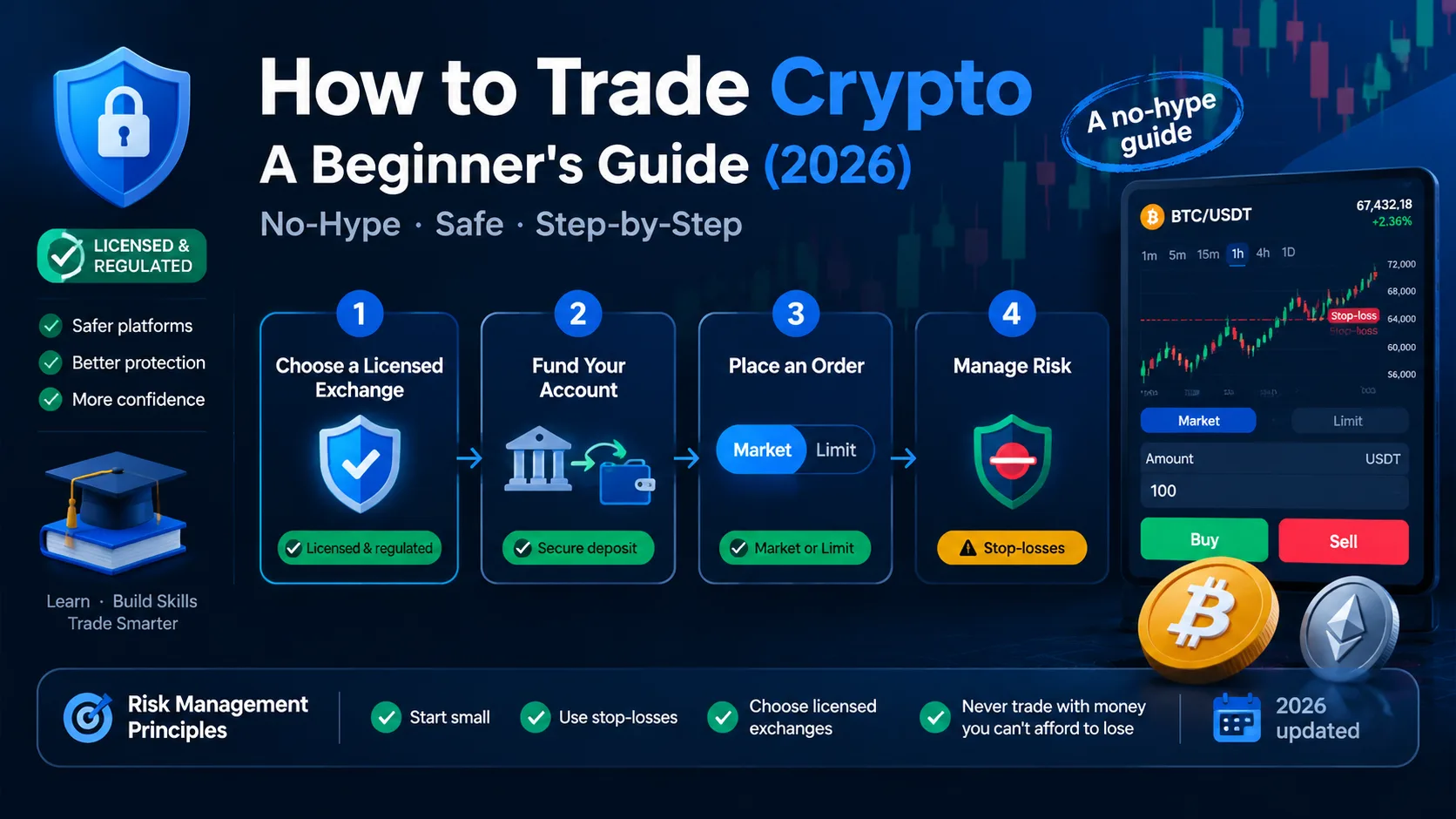
How to Trade Crypto: A Beginner's Guide (2026)
How to trade crypto safely: choose a licensed exchange, fund your account, place a market or limit order, and manage risk with stop-losses. A no-hype guide.
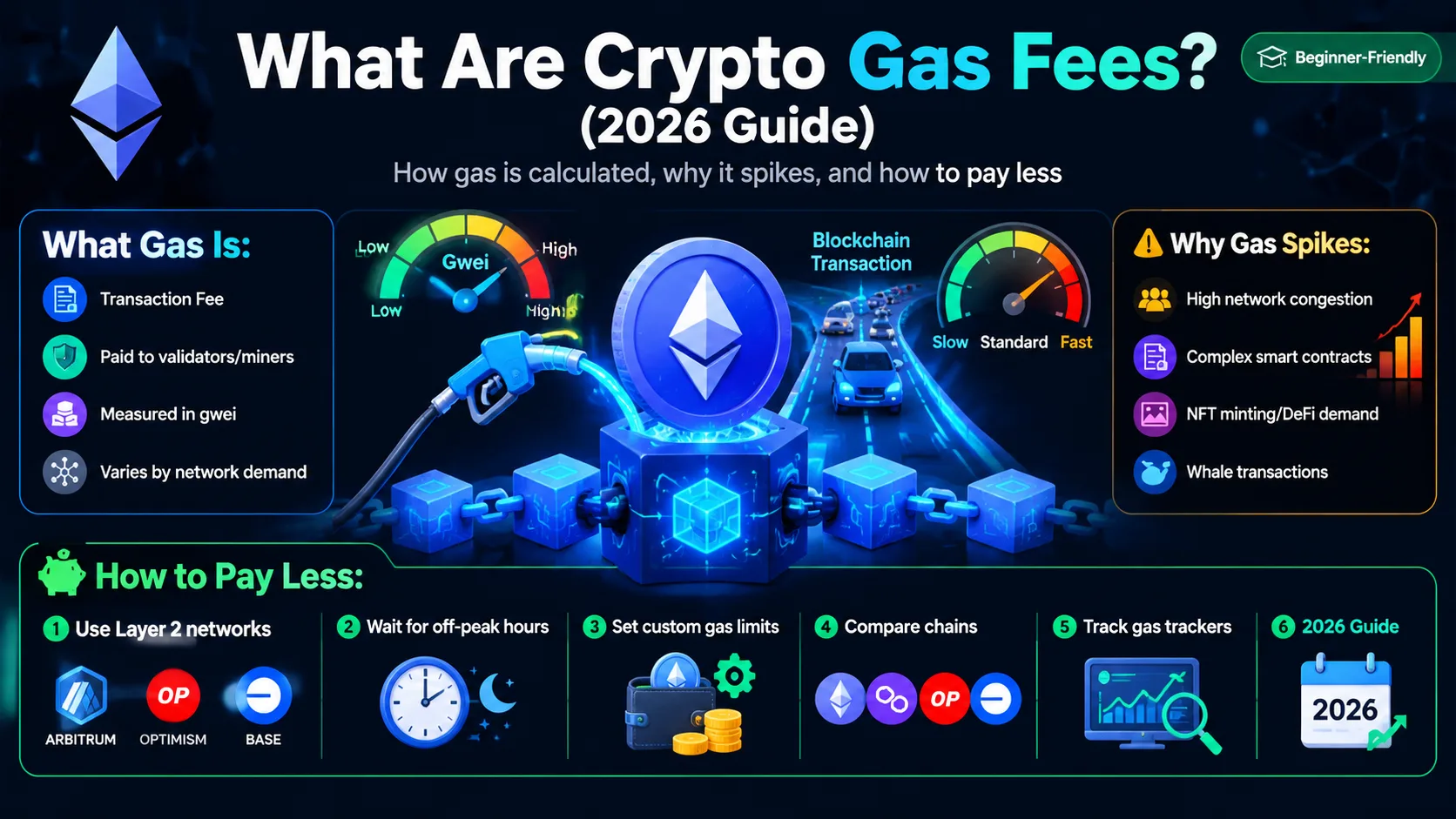
What Are Crypto Gas Fees? (2026 Guide)
A gas fee is what you pay to have a transaction processed on a blockchain. Learn how gas is calculated in gwei, why it spikes, and how to pay less.
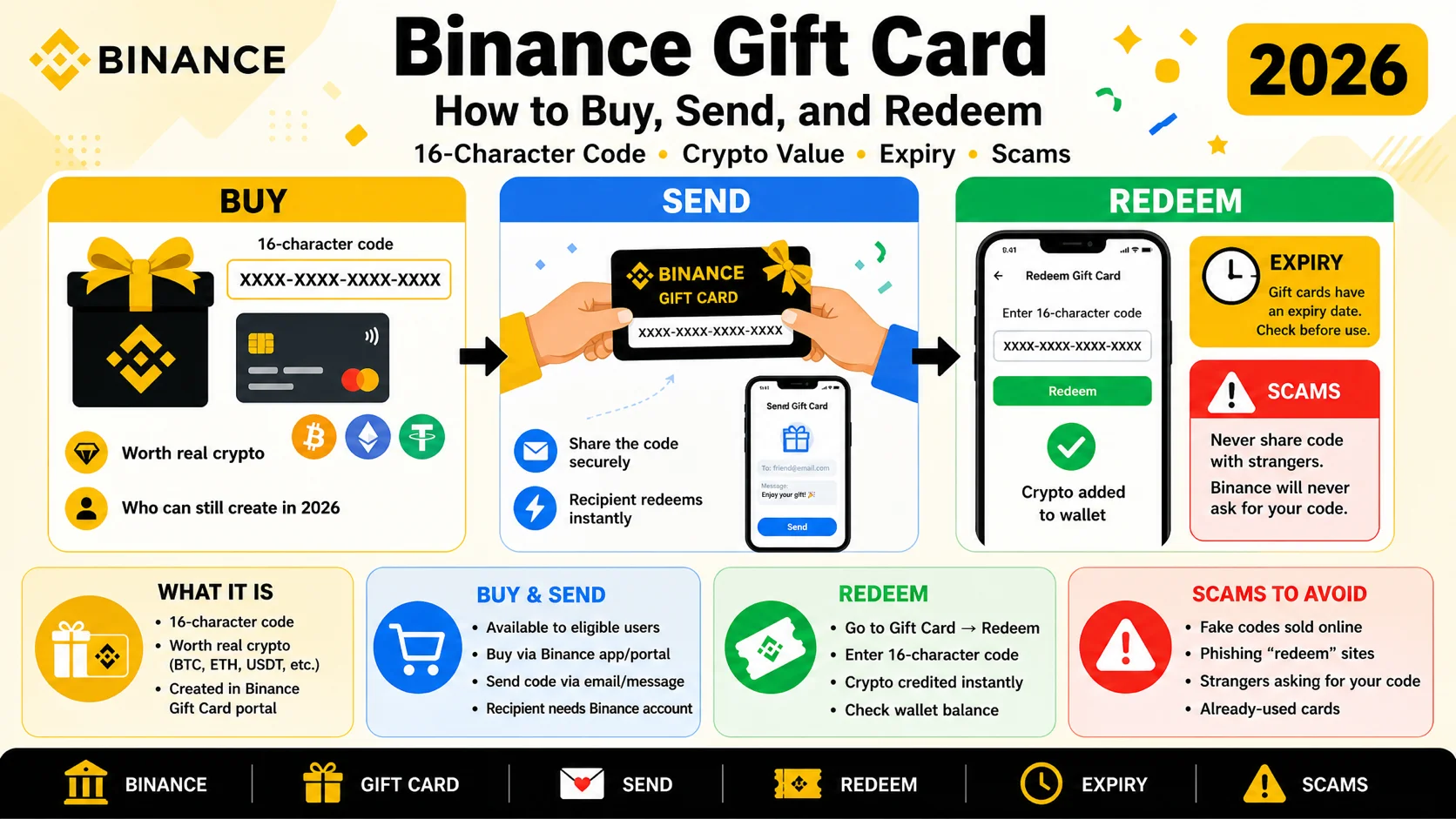
Binance Gift Card: How to Buy, Send, and Redeem (2026)
A Binance Gift Card is a 16-character code worth real crypto. Who can still create one in 2026, where to buy, how to redeem, when it expires, and the scams to avoid.