
Binance Verification Failed? 8 Fixes for KYC, Selfie, and Address Checks (2026)
Binance verification failed? Find the exact rejection, fix the ID photo, selfie or address proof, and use the official appeal path. Requirements checked November 2026.
 Lucas Almeida 5 min read
Key takeaways
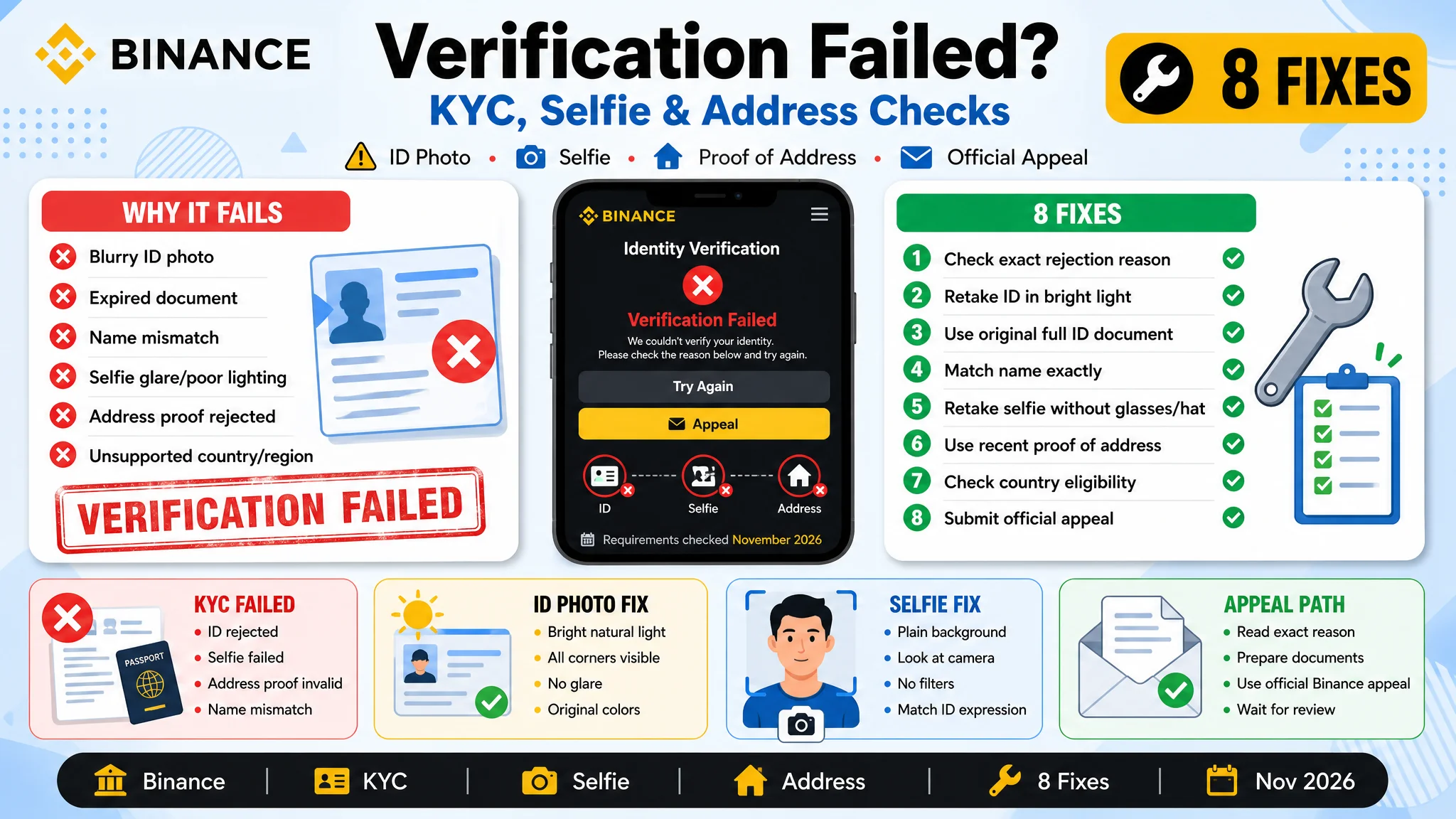
- Binance uses one generic 'verification failed' label for three different checks: the ID document, the live face scan, and proof of address. The fix depends on which one failed, so read the exact reason before changing anything.
- Most rejections are photographic, not eligibility problems: glare, cut-off corners, a photo of a screen, or a selfie with backlight, glasses or a beauty filter.
- Re-uploading the same file resets nothing and can push the account into longer manual review. Fix one specific issue, then resubmit once.
- Proof of address has five required elements and a validity window that varies by country: 6 months by default, 3 months in 11 listed markets, and 2 months in India. Screenshots of a full, legible statement are accepted; photocopies are not.
- The official appeal route is Binance's self-service page — 'Appeal KYC Rejection' or 'Failed Facial Verification Appeal' — not a paid 'KYC agent', a Telegram contact, or an edited document.
Binance verification failed usually means one specific check did not pass — not that you are banned. The three checks are the ID document, the live face scan, and proof of address. Read the exact reason shown under the failed status, fix that one issue, and resubmit once. Most failures are photographic: glare, a cut-off corner, a photo of a screen, or a selfie taken with backlight or a beauty filter.
This guide maps the common failure labels to the official fix, using Binance’s identity-verification FAQ, face-verification FAQ, residential-address FAQ and self-service appeal options, all checked on 26 November 2026. Requirements vary by country and change over time, so confirm the wording in your own app before you resubmit.
⚠️ Never pay for KYC help. Binance’s appeal routes are free, and no outside agent can approve an account. Anyone asking for your password, 2FA code, SMS code, a screen share, or an “edited” document is trying to take the account. Binance support will never ask for your password or seed phrase.
What does “verification failed” actually mean?
It is an umbrella label for three separate checks that fail for different reasons. The first job is to work out which one you are in, because the fixes do not overlap.
| Check | When it appears | What Binance compares | Typical failure |
|---|---|---|---|
| ID document | During onboarding or a re-verification | The photo against accepted document types and legibility rules | Blur, glare, cropped corners, expired ID, unsupported document |
| Face / liveness | During onboarding, or later for login, withdrawals, rewards or higher deposit limits | Your live face against the photo on the submitted ID | Backlight, glasses or hat, filter, low camera quality, a different face |
| Proof of address | When your region or payment channel requires a higher level | The document’s name and address against your account details | Name mismatch, address mismatch, document too old, rejected document type |
The same words can also appear in a fourth, unrelated place: a face scan required for an account action after you are already verified. That is not a failed KYC application. Binance’s face-verification FAQ says biometrics may be requested for account access, trading, withdrawals, rewards and higher deposit limits, and that the check is mandatory and cannot be bypassed.
So before changing your documents, answer one question: is this onboarding, a later security check, or an address upgrade? The rest of this guide follows that order.
Fix 1: Read the exact rejection reason first
Do not resubmit until you have read the reason. Binance attaches a short cause to a failed verification, and it is usually specific enough to choose the fix: unreadable document, information mismatch, expired document, face not matched, or document already used.
Where to look:
- App: Profile → Identification (or Verification Center). The failed step and its reason sit under your current level.
- Web: the same Identification page in your account settings.
- Email and notifications: Binance says it notifies you when verification is approved; rejection notices may also arrive by email, but the in-app status is authoritative.
Then classify the message:
| What the status suggests | What it is not | Where to go |
|---|---|---|
| “Under review” or “Pending” | Not a failure — it is a queue | Wait; check again after 48 hours |
| Unreadable, blurry, incomplete document | Not an eligibility problem | Fix 2 |
| Name, date of birth or ID number mismatch | Not a photo problem | Fix 3 |
| Face not matched, liveness failed | Not a document problem | Fix 4 |
| Expired or unsupported document | Not a photography problem | Fix 5 |
| Document or ID already used | Not something a better photo fixes | Fix 6 |
| Address document rejected | Not the same check as your ID | Fix 7 |
Keep a screenshot of the failed screen and its reason before you resubmit. If you later need an appeal, that screenshot is the first thing support asks for.
Fix 2: Re-shoot the ID document
The document photo is the most common failure, and the fix is mechanical. Binance’s proof-of-address FAQ sets out the upload rules that apply to identity documents too: original, unedited documents; no cuts; all four corners visible; all text readable; no blur or reflection; not black and white; captured in portrait mode, not landscape.
Use this checklist:
| Rule | What to do |
|---|---|
| Original physical document | Photograph the card or passport page itself — never a photocopy, a printout, or a photo of a screen |
| All four corners | Leave a small margin around the document; do not crop it tight |
| One side per image | Front and back as separate, complete images |
| Even, soft light | Daylight or a diffused lamp; no flash, no hard shadow across the text |
| No glare | Tilt the document slightly if a laminate reflects the light |
| Sharp focus | Tap to focus on the text; brace your phone or use a stand |
| Portrait orientation | Hold the phone upright; do not shoot the document sideways |
| Colour, not black and white | Use the normal camera mode, not a scanner’s document filter |
| No editing | No cropping, whitening, watermarking or “enhancement” |
A useful test: zoom into the image on your phone. If you cannot read the document number, the expiry date and the smallest printed text without effort, Binance’s reviewer will not either.
Fix 3: Match your details character for character
Binance compares the information you typed with the document, and a single character difference can fail the check. This is where international names fail most often.
- Name order. Enter your family name and given names in the fields the form asks for, in the order the form asks for. Do not swap them to match how you introduce yourself.
- Middle names. If the document includes a middle name, include it. If it does not, do not add one.
- Diacritics and transliteration. Use the spelling on the document. “José” is not “Jose” if the document says “José”; “Muhammad” is not “Mohammad” if the document spells it with a “u”.
- Date format. Follow the field’s example. In many regions the form expects day/month/year, not month/day/year.
- Document number. Copy it exactly, including leading zeros and letters.
- Date of birth. One wrong digit is enough to fail.
- Expiry date. Use the expiry printed on the document, not an estimate.
Binance’s identity-verification FAQ is explicit that information cannot be changed after you confirm it without going through a separate update flow. That is why the confirmation screen deserves a slow read. If you already confirmed a wrong detail, use Update Identity or Change Name/Date of Birth in Binance’s self-service centre rather than opening a new account.
Fix 4: Fix the selfie and liveness check
Face verification fails when the system cannot see a clear, live, matching face. Binance’s face-verification FAQ lists five causes: poor lighting, low camera quality, wearing glasses, hats or masks, the ID photo and live face looking significantly different, and attempting to use someone else’s face or ID. It also warns that mismatched facial data will fail.
The fix, in order:
- Turn on the light in front of you. A window behind you turns your face into a silhouette. Face the light source.
- Remove glasses, hat, mask and headphones. Even clear prescription lenses can reflect the screen.
- Disable beauty filters and “enhance” modes. Some Android skins and third-party camera apps apply them automatically.
- Clean the lens. A smudged front camera produces a soft image that fails the match.
- Use a stable connection. Do not refresh the page or quit the app mid-flow; Binance explicitly warns against it. If the connection drops, restart the flow.
- Follow the prompts slowly. Blink, turn or nod only when asked. Extra movement reads as a failed liveness check.
- Be alone in the frame. Another face in the background can trigger a “multiple faces” flag.
- Use the QR option on desktop. If your laptop camera is poor, Binance lets you continue the capture on your phone.
One honest limitation: if your appearance has changed substantially since the ID photo — major weight change, facial surgery, a much older photo — the automated match may keep failing even with a perfect capture. That is not something a retry fixes. Use the Failed Facial Verification Appeal route in Fix 8.
Fix 5: Use a valid, supported document
An expired document, or one Binance does not accept in your country, fails before any photo is judged. Binance accepts a passport, national ID card or driver’s licence, but the available options differ by country and are shown in the app. If the type you own is not listed, it is not a photo problem.
Before resubmitting:
- Check the expiry date. A document that expires in a few weeks may be rejected, especially for a higher verification level.
- Check the document type list on the selection screen. If your driver’s licence is not offered, use a passport or national ID.
- Check that the issuing country matches what you selected. A residence permit is not the same as a passport from another country.
- Check for damage. A cracked laminate, a missing corner or a faded photo can make a valid document unreadable.
Do not photograph a document that belongs to someone else, and do not use a document you have edited. Binance’s terms prohibit both, and the consequence is not another retry — it is a restriction or account closure.
Fix 6: If your ID is already linked to another account
A rejection saying the ID number or document has already been used is a duplicate-account problem, not an image problem. Binance allows one verified personal account per person. Reusing the same ID on a second account will keep failing no matter how good the photo is.
Two honest paths:
- The earlier account is yours. Recover it rather than duplicating it. Use the login recovery flow, and if you cannot get back in, contact official support. If you genuinely need a new account, ask support to close the old one first.
- Someone else used your ID. This is identity theft. Use Binance’s official appeal process, explain the situation, and provide the identity documents support requests. Do not open more accounts to “test” whether it works.
Do not buy a “verified account” or rent someone’s identity. Both are fraud, both can be reversed, and the person who sold it usually retains recovery access.
Fix 7: Proof of address — the five elements and the time window
Address verification is a separate check with different rules, and it is the stage most guides describe vaguely. Binance requires a document that shows all five of these:
- Your name, matching the ID you submitted.
- Your residential address, matching the address entered on the account.
- The date of issue.
- The issuing authority.
- A reference to that authority — a logo, contact details or a website.
How recent must it be?
The clock runs from the issue date, not the date you downloaded the file.
| Validity window | Where it applies |
|---|---|
| 6 months (up to 1 year if the document states a longer validity) | Default for countries not listed below, plus Binance Japan, Binance Kazakhstan and France |
| 3 months | Argentina, Australia, Brazil, Colombia, El Salvador, Italy, Mexico, New Zealand, Poland, Spain, Sweden |
| 3 months | Binance BH/GCC markets (Bahrain, Kuwait, Oman, Qatar, Saudi Arabia, South Africa) and Binance FZE (Dubai) |
| 2 months | India (up to 1 year if the document states a longer validity) |
What is accepted
- Utility bills: electricity, water, sewerage, gas.
- Internet, landline, TV or communication-package bills.
- Bank or credit-card statements, investment account statements, mortgage statements.
- Stamped bank reference, address-confirmation or account-balance letters.
- Government correspondence and government-issued tenancy contracts.
- A local-government certificate of residence.
- Home insurance statements or certificates.
- Building management statements.
- University housing letters or student rental agreements.
- A government-issued national ID or residence permit showing your address — but not the same document you used for identity verification.
What is rejected
- Payslips and employment contracts.
- Mobile phone bills, except in some jurisdictions.
- Statements from store-issued credit cards.
- Transaction receipts, even with a delivery or billing address.
- Preliminary bank statements, marketing letters and fee-only statements.
- Medical bills and streaming-service bills.
- P.O. box, mail-forwarding and virtual-office addresses.
- Photocopies, cut-off images and black-and-white copies.
Upload rules
PDF is recommended, but JPG, JPEG and PNG are accepted. A colour screenshot or scan is fine if the first page is complete and legible. Capture in portrait mode, show all four corners, and keep the text sharp. Binance says proof-of-address review takes up to 1–2 working days.
The most common address failure is not the document type. It is a name or address that does not match the account — a partner’s name on the bill, a missing apartment number, or an address formatted differently from the one you typed. Fix the mismatch before you upload again.
Fix 8: Escalate through the official channels
If the documents are clean and the check still fails, stop resubmitting and appeal. Binance’s self-service centre lists dedicated routes, each with a different purpose:
| Self-service option | What it does |
|---|---|
| Appeal KYC Rejection | Requests a review of a rejected verification |
| Failed Facial Verification Appeal | Requests a review when face recognition was rejected |
| Reset KYC | Restarts the identity-verification update flow |
| Update Identity | Updates your ID and identity information |
| Change Name/Date of Birth | Corrects a confirmed name or birthday error |
| Change Residential Address | Changes the address and submits new proof of address |
| Update Country of Residence | Updates your current residency |
For the appeal, prepare:
- A screenshot of the failed screen with the exact reason.
- Clear front and back photos of the document.
- Your account email, phone number, UID and registration date.
- A short note listing what you changed since the last attempt.
The “multiple faces” or twins exception
If the liveness check detected more than one face, or a face very similar to yours, Binance requires more than a retry: ID photos plus a statement video, submitted to Customer Support.
- For multiple faces: front and back photos of every ID used in the verification.
- For twins: front and back of the twin’s ID as well.
- Everyone involved must appear in the video, holding their own ID.
- The applicant states the date, their name, that they are applying, and the account’s email or phone number.
- Any accompanying person states the date, their name, that they are assisting the applicant, and the account’s email or phone number.
- Any language is acceptable, but faces must be visible and speech audible.
- No filters, screen recording, editing or watermarks.
This is the one case where a video is the correct answer. Sending another selfie will not resolve it.
What not to do while verification is failing
The wrong response turns a temporary rejection into a permanent restriction. These five moves are the ones that cause real damage:
- Do not use a VPN to fake your location. It does not change eligibility, and Binance’s terms prohibit circumventing regional restrictions. Accounts that look like they are in a restricted market can be frozen or placed in withdrawal-only mode.
- Do not edit the document. Whitening a shadow, cropping a corner or “fixing” a date is document fraud. It is treated far more seriously than a failed photo.
- Do not buy a verified account or rent an identity. The seller usually keeps recovery access, and the account can be closed at any time.
- Do not pay a “KYC agent” or message a support account on Telegram or WhatsApp. Binance’s official support runs through the app and Help Center. There is no paid fast lane.
- Do not open extra accounts to test fixes. Duplicate accounts can cause the ID to be flagged, which makes the original problem harder to solve.
One more: do not spam identical resubmissions. Binance’s official face-verification FAQ does not publish a retry limit, but Binance Square guidance says users can attempt verification up to 10 times per day and must wait 24 hours after 10 rejections in 24 hours. Whether or not that cap applies to your flow, repeated identical files add nothing and can push you into manual review. Change one variable per attempt.
What can you do while verification is pending?
Very little that involves money — and that is deliberate. Binance says new users must reach “Verified” status to access deposits and trading. Existing unverified accounts are temporarily restricted to withdraw only, which Binance defines as withdrawal, order cancellation, position close and redemption.
So while you wait:
- Do not deposit funds into an unverified account expecting to trade immediately.
- Do not start P2P orders you cannot complete.
- Use the time to read the Binance KYC walkthrough and prepare a clean document set.
- Check the Identification page for the current status rather than relying on email.
- If 48 hours have passed with no change, and the status is not “action required”, contact official support with your UID and submission time.
Who cannot complete Binance verification at all?
Some failures are not fixable, because the platform does not serve your market. This is the part most troubleshooting guides leave out.
| Market | Status in 2026 |
|---|---|
| United States | Binance.com is not available to US residents. Binance.US is a separate exchange with separate KYC and no BN2688 referral code. |
| United Kingdom | Binance stopped accepting new UK sign-ups in October 2023 under the FCA financial-promotions regime. Existing users face product limits. |
| EU / EEA | Binance paused new EU/EEA onboarding on 1 July 2026 after withdrawing its MiCA application. |
| Other restricted markets | Availability changes. Check the Binance country list before you spend time on documents. |
If your country is not served, a better photo will not help. Use a regulated local platform instead, and do not let a “verification service” convince you otherwise.
The bottom line
Binance verification failed is usually a specific, fixable input problem: an unreadable document, a mismatched name, a bad selfie, an expired ID, a duplicate account, or an address document that fails one of the five required elements. Read the exact reason, fix one thing, resubmit once, and use the official self-service appeal if it still fails. Never pay for help, never edit a document, and never try to fake your region.
If you have not registered yet, start with the Binance registration guide so the referral code is applied correctly at sign-up; a code cannot be added or changed after the fact in the normal case. The registration link carries BN2688 automatically. Then complete KYC before you deposit, and keep a screenshot of every status screen until your account is fully verified.
If a verification prompt is blocking a withdrawal or login rather than onboarding, treat it as an account-security check: read how to secure your exchange account and make sure the request is coming from inside the official app, not from an email link.
Don't have a Binance account yet?Sign up nowenter the referral codeBN2688
Frequently asked questions
Why does Binance say verification failed?
How many times can I retry Binance verification?
How long does Binance verification take after resubmission?
Why did my Binance selfie verification fail?
What if my ID is already linked to another Binance account?
What counts as proof of address for Binance?
How old can a Binance proof of address be?
Can I use a VPN to pass Binance verification?
Is it safe to pay someone to fix Binance KYC?
What does 'multiple faces detected' mean in Binance verification?
Editor-in-Chief & Lead Researcher
Editor of MyCryptoStart. Independent researcher of cryptocurrency exchanges, focused on fees, security, KYC, and onboarding — publishes step-by-step guides in plain English for beginners.
View author page →Some links on this page are affiliate links: we may earn a commission at no extra cost to you. This content is educational and is not financial, investment, or legal advice. Affiliate disclosure · Disclaimer.
Continue reading
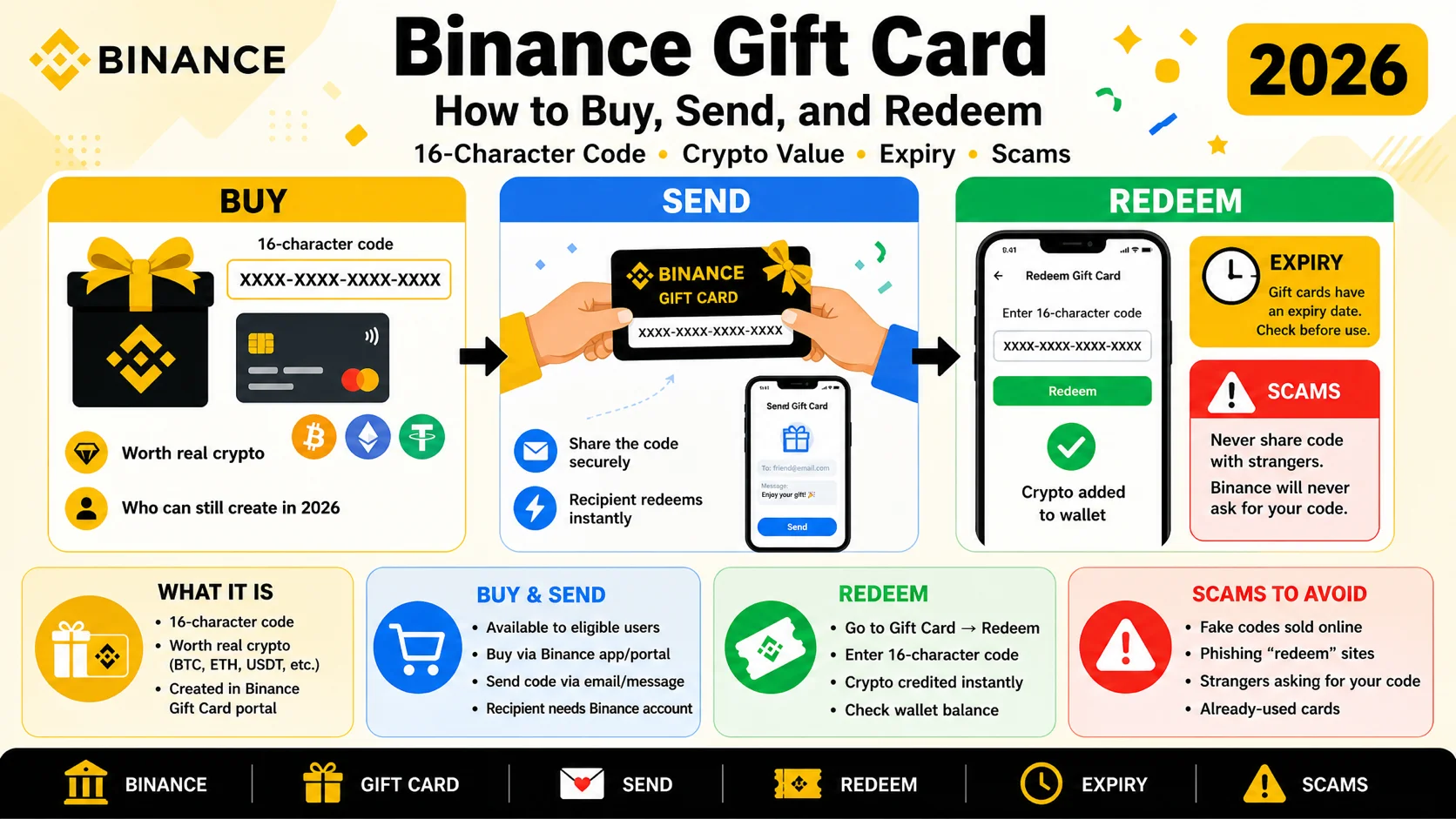
Binance Gift Card: How to Buy, Send, and Redeem (2026)
A Binance Gift Card is a 16-character code worth real crypto. Who can still create one in 2026, where to buy, how to redeem, when it expires, and the scams to avoid.
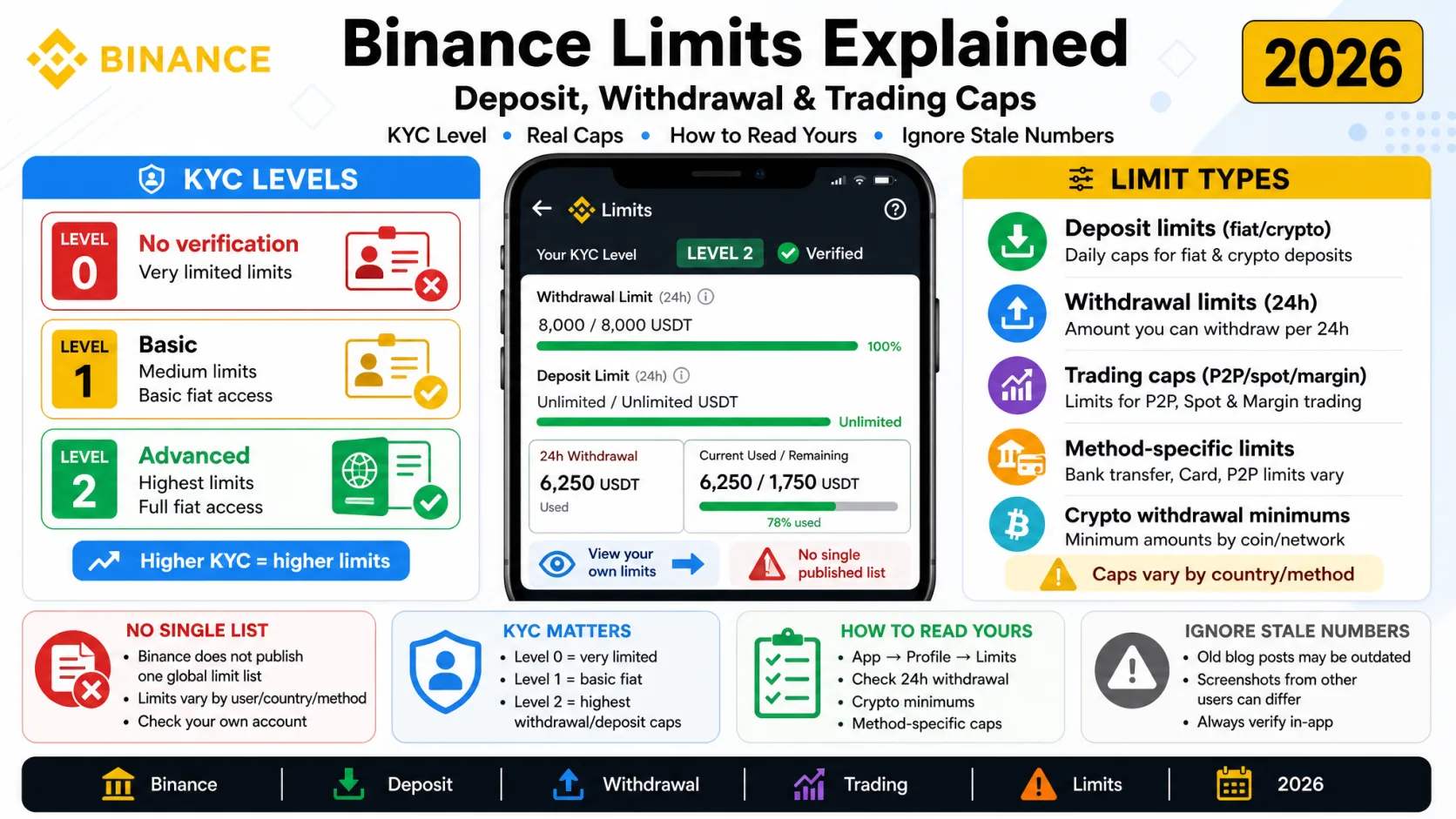
Binance Limits Explained: Deposit, Withdrawal, and Trading Caps (2026)
Binance publishes no single limit list. The real withdrawal, deposit and trading caps by KYC level, how to read your own, and the stale numbers to ignore.
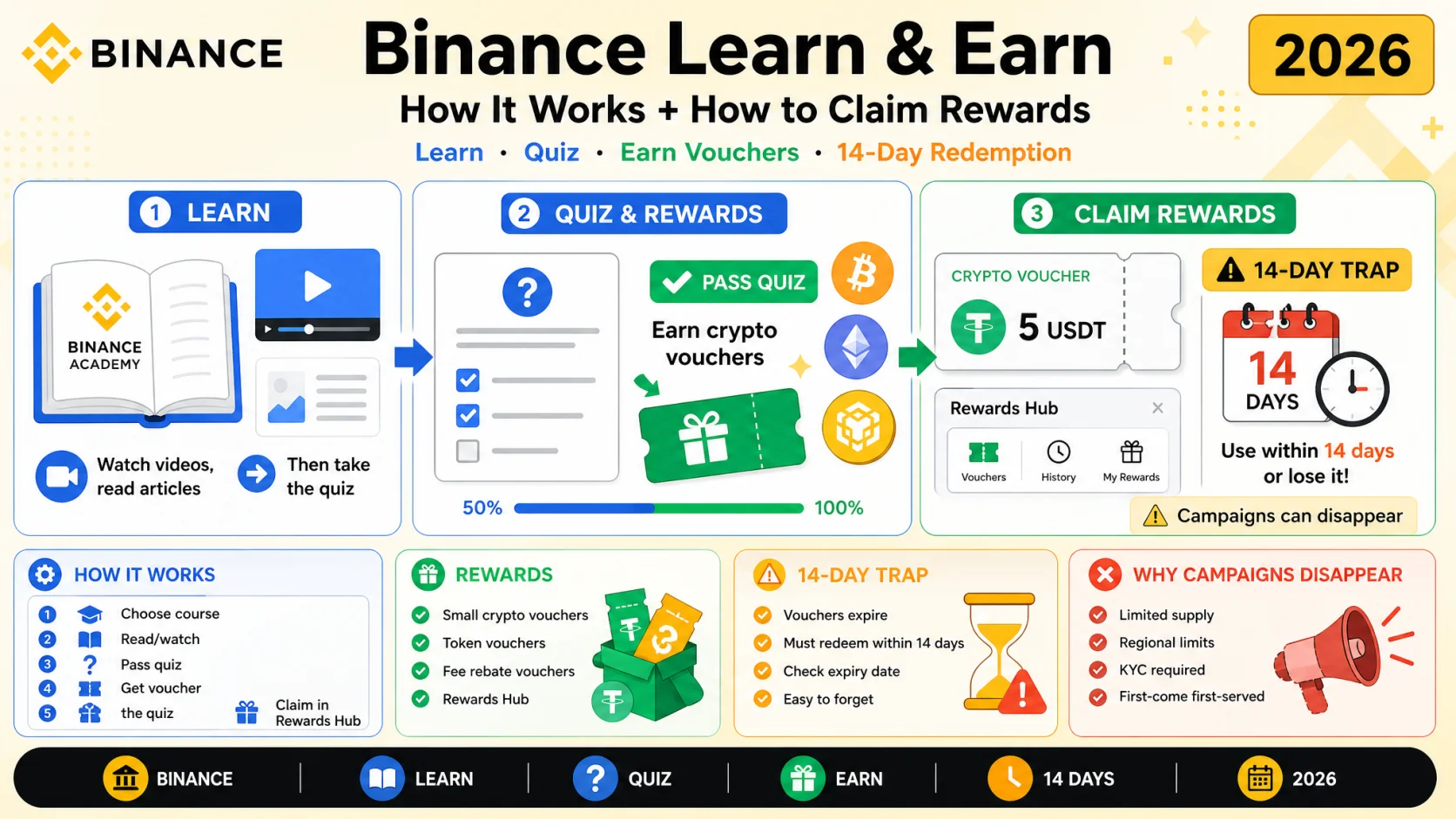
Binance Learn & Earn: How It Works and How to Claim Rewards (2026)
Binance Learn & Earn pays small crypto vouchers for passing short quizzes. Here is how it works, where rewards go, why campaigns disappear, and the 14-day redemption trap.